

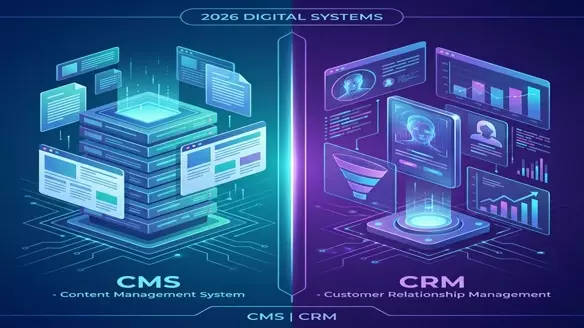
CMS vs CRM: The 2026 Reality Check
In the early days, you built a website (CMS). Then you got a Rolodex (CRM). In 2026, the lines are blurred. HubSpot is a CRM that hosts websites. WordPress is a CMS that integrates with sales pipelines.
But if you have limited budget and time, where do you focus?
This brings us to the core question: Does better content (CMS) or better sales tracking (CRM) actually drive more revenue?
Quick Verdict
Invest in CMS if:
- Traffic is your bottleneck. You need awareness, SEO, and top-of-funnel leads.
- Your product is complex. You need to educate the market before they buy.
- You are B2C or Media. Content consumption is the product or the primary driver.
Invest in CRM if:
- Closing is your bottleneck. You have leads but they aren't converting.
- Your sales cycle is long. You need to track touchpoints over 3-12 months.
- You are B2B. Relationship management is 90% of the deal.
The 2026 Golden Rule
CMS gets them to the door. CRM gets them to sign. You can't close leads you don't have (CMS first), but you can't scale revenue without managing relationships (CRM second).
Critical Feature Comparison
| Feature | CMS (Content Management) | CRM (Customer Relationship) |
|---|---|---|
| Primary Goal | Attract & Educate | Convert & Retain |
| Key Metric | Traffic, Bounce Rate, Time on Page | LTV, Churn, Conversion Rate |
| Target Audience | Anonymous Visitors | Known Prospects/Customers |
| 2026 Trend | AI-generated personalization | AI-predicted closing probability |
| Examples | WordPress, Contentful, Webflow | Salesforce, HubSpot, Zoho CRM |
Integration: The Real Revenue Driver
In 2026, running these as silos is suicide.
- The "Headless" mistake: Building a fancy Headless CMS that doesn't talk to your CRM means you don't know who is reading your content.
- The "Data" advantage: When your CMS tells your CRM that "Prospect A just read the Pricing Page 3 times," your sales team can strike.
Recommended Stacks
- The "Growth" Stack: WordPress (CMS) + HubSpot (CRM).
- The "Enterprise" Stack: Adobe Experience Manager (CMS) + Salesforce (CRM).
- The "Lean" Stack: Webflow (CMS) + Zoho CRM (CRM).
Pricing & ROI
CMS Costs
- Low: Free (WordPress) to $20/mo (Webflow).
- High: $3,000+/mo (Enterprise Headless).
- ROI: Slow burn. Builds asset value over time.
CRM Costs
- Low: Free (HubSpot basic) to $50/mo.
- High: $300+/user/mo (Salesforce).
- ROI: Immediate. Fixes leaky buckets in your sales process.
The Conclusion
Don't ask "which one?". Ask "which problem do I have?".
- If nobody knows you exist: Fix your CMS.
- If everybody knows you but nobody buys: Fix your CRM.
In 2026, revenue is the child of a happy marriage between Content and Relationships.