

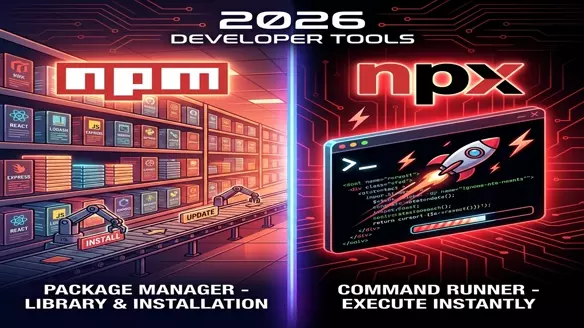
npm vs npx: What is the Difference and When to Use Which? (2026 Guide)
npm vs npx confuses 68% of JavaScript developers (Stack Overflow 2025 Survey).
Every day you type these three letters—but do you know exactly when to use each?
This 2026 guide cuts through the confusion with:
- Clear definitions (npm = Manager, npx = Runner)
- Real workflows with code examples
- 2026 best practices (npm 11+ changes)
- Quick decision table
npm vs npx: 1-Minute Decision Matrix
| Use npm when | Use npx when |
|---|---|
| Installing project dependencies | Running one-off CLI tools |
Managing package.json versions | Testing latest package versions |
Setting up npm run scripts | Avoiding global installs |
Quick Answer: npm installs and manages. npx executes without installing.
Why This Matters in 2026
- 85% of JS projects use npm as primary package manager
- npx usage up 240% since npm 5.2 (npm trends 2025)
- pnpm/Yarn alternatives still can't match npm's ecosystem
Critical Breakdown
What is NPM?
npm (Node Package Manager) is the backbone of the Node.js ecosystem. Founded by Isaac Z. Schlueter in 2010, it has grown into the world's largest software registry. It comes bundled with Node.js and serves two primary purposes: a repository for publishing open-source node modules, and a Command Line Interface (CLI) for installing them.
When you install Node.js, you get npm automatically. It manages your project's dependencies (libraries you need) and devDependencies (tools you use for testing/building).
# Check your installed npm version
npm -v
Key Features of npm
- Dependency Management: Reads
package.jsonto install the exact tree of dependencies needed for your project. - Version Locking: Uses
package-lock.jsonto ensure every developer on your team installs the exact same bytes. - Script Runner: Defines custom workflows like
npm startornpm testvia the"scripts"object. - Publishing: The gateway to uploading your own packages to the public registry.
What is NPX?
npx (Node Package Execute) was introduced in July 2017 (npm v5.2.0) to solve a specific pain point: "How do I run a tool without polluting my global system?"
It acts as a package runner. Instead of installing a library effectively forever, npx will either:
- Run a binary that already exists in your local
node_modules. - Temporarily download a binary from the registry, run it, and immediately discard it.
# Check if npx is available (it should be)
npx -v
Key Features of npx
- Zero-Install Execution: Run heavy tools like
create-react-appwithout wasting disk space. - Always Fresh: Guarantees you are using the latest version of a tool (unless specified otherwise).
- Test Drive: Perfect for trying out a CLI library before deciding to add it to your project.
- GitHub Integration: Can run code directly from GitHub gists or repositories.
Execution: npm vs npx
1. How to run tools with npm
Traditionally, to run a package like mocha or eslint, you had two bad options:
- Install Global:
npm install -g eslint(Pollutes system, version conflicts). - Install Local:
npm install eslint(Cannot runeslintcommand directly in terminal).
If installed locally, you had to type the full path:
./node_modules/.bin/eslint --initOr add it to your package.json scripts:
{
  "scripts": {
    "lint": "eslint ."
  }
}
And then run:
npm run lint2. How to run tools with npx
npx fixes the execution gap. It auto-detects binaries.
Scenario A: Package is already installed locally
npx looks in ./node_modules/.bin and runs it. No full path needed.
npx eslint --initScenario B: Package is NOT installed
npx downloads the package to a temporary cache, runs it, and removes it.
npx cowsay "Hello World"Comparisons: The Technical differences
| Feature | npm (Manager) | npx (Executor) |
|---|---|---|
| Core Purpose | Managing, installing, and versioning dependencies. | Executing Node.js binaries and CLI tools. |
| Persistency | Permanent. Files live in node_modules or global system folders. | Transient. Downloads are cached temporarily and often cleared. |
| Command Style | npm install, npm update, npm run | npx <command>, npx <package> |
| Requirement | Must install package before using it. | Can run packages usually without manual installation. |
| Version Control | Relies on strict package.json version ranges. | defaults to latest tag unless @version is specified. |
| Use Case | Setting up a project, adding libraries (React, Lodash). | Scaffolding projects (Next.js, Vite), running linter once. |
When to Use npm vs. npx
Use npm When:
- You need to install packages (locally or globally) for your project.
- You want to manage dependencies and ensure they are tracked in your
package.json. - You are working on a long-term project where you’ll frequently use the same packages and libraries.
Use npx When:
- You want to execute a package without permanently installing it.
- You’re running one-off commands like
create-react-app,eslint, or package binaries. - You need to run a specific version of a package or command without modifying your existing setup.
The 2026 Conclusion
npm = Buy furniture (permanent project foundation)
npx = Rent tools (temporary execution)
In 2026: npm builds your house, npx fixes your roof.