

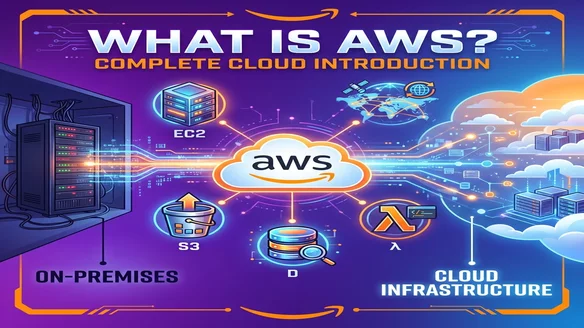
What is AWS? Complete Introduction to Amazon Web Services (2026)
AWS powers 33% of all cloud infrastructure worldwide and serves over 1 million active customers (Synergy Research 2025).
You've heard "AWS" everywhere. Job postings require it. Tech news mentions it daily. But what actually is AWS?
This complete 2026 introduction covers:
- What AWS is (in simple terms)
- How cloud computing works (vs traditional servers)
- Core AWS services (the 10 you should know)
- Why companies use AWS (Netflix, Airbnb, NASA)
- Getting started guide (your first 30 minutes)
What is AWS? The Simple Answer
Amazon Web Services (AWS) is a cloud computing platform that provides on-demand access to computing resources over the internet.
Translation: Instead of buying physical servers, you rent computing power, storage, and services from Amazon's data centers.
Think of it like:
- Traditional IT: Buying a house (expensive upfront, maintain everything)
- AWS: Renting an apartment (pay monthly, maintenance included)
AWS in Numbers (2026)
| Metric | Value |
|---|---|
| Global market share | 33% (#1 cloud provider) |
| Annual revenue | $108 billion (2025) |
| Active customers | 1+ million |
| Services offered | 240+ |
| Data centers (Availability Zones) | 110+ |
| Global regions | 33 |
| Fortune 500 using AWS | 90% |
What is Cloud Computing?
Before understanding AWS, you need to understand cloud computing.
Traditional On-Premises vs Cloud
On-Premises (Old Way):
1. Buy physical servers ($10,000-$100,000+)
2. Buy networking equipment
3. Rent/build data center space
4. Hire IT staff for maintenance
5. Pay electricity, cooling, security
6. Upgrade hardware every 3-5 years
Total cost: $500,000-$2M+ initial investment
Cloud (AWS Way):
1. Sign up for AWS account (free)
2. Launch virtual servers in minutes
3. Pay only for what you use ($5-$500/month)
4. AWS maintains hardware
5. Scale up/down instantly
Total cost: $0 upfront, pay as you go
Benefits of Cloud Computing
✅ No upfront costs – No hardware purchases
✅ Pay per use – Like electricity, only pay when running
✅ Instant scaling – Add resources in seconds
✅ Global reach – Deploy worldwide in minutes
✅ High availability – 99.99% uptime guarantee
✅ Automatic updates – AWS maintains infrastructure
A Brief History of AWS
2006: The Beginning
Problem: Amazon.com's internal IT infrastructure was powerful but underutilized.
Solution: Offer this infrastructure to external companies as a service.
Launch: March 14, 2006 - AWS officially launched with 3 services:
- S3 (storage)
- SQS (messaging)
- EC2 (virtual servers, added August 2006)
Growth Timeline
2006: AWS launches (3 services)
2009: Netflix migrates to AWS
2010: Amazon.com moves retail to AWS
2012: First AWS re:Invent conference
2015: AWS hits $10 billion annual revenue
2018: 100 Availability Zones globally
2020: AWS revenue: $45 billion
2023: AWS revenue: $90 billion
2025: AWS revenue: $108 billion
2026: 240+ services, 33 global regions
How AWS Works: Core Concepts
1. Everything is Virtual
Physical server:
- One computer
- Fixed CPU, RAM, storage
- Can't easily change
AWS EC2 instance (virtual server):
- Software simulation of a computer
- Change size anytime
- Launch/terminate in seconds
- Pay only when running
2. Pay-As-You-Go Pricing
Traditional:
Buy server for $50,000
Use it or not, you paid $50,000
AWS:
Start small: t3.micro for $7/month
Traffic increases? Scale to m5.large for $70/month
Traffic drops? Scale back down to $7/month
3. Global Infrastructure
AWS operates data centers in 33 regions worldwide:
Regions (geographical areas):
- US East (Virginia)
- US West (Oregon)
- Asia Pacific (Tokyo, Singapore, Sydney)
- Europe (Frankfurt, London, Paris)
- South America (São Paulo)
- Middle East (Bahrain)
- Africa (Cape Town)
Benefits:
- Deploy applications close to users (lower latency)
- Data residency compliance (EU data stays in EU)
- Disaster recovery across regions
10 Core AWS Services You Should Know
1. Amazon EC2 (Elastic Compute Cloud)
What it is: Virtual servers in the cloud
Use cases:
- Web applications
- Databases
- Application servers
- Development environments
Pricing: $0.0104/hour (t3.micro) to $32/hour (large instances)
Example:
# Launch a web server
aws ec2 run-instances \
  --image-id ami-0c55b159cbfafe1f0 \
  --instance-type t3.micro \
  --count 1

# Server running in 60 seconds
2. Amazon S3 (Simple Storage Service)
What it is: Object storage for any type of file
Use cases:
- Website images/videos
- Backups
- Data lakes
- Static website hosting
Pricing: $0.023/GB/month for storage
Storage capacity: Unlimited
Durability: 99.999999999% (11 nines)
Example:
# Upload file
aws s3 cp myfile.pdf s3://my-bucket/

# File accessible globally via URL
https://my-bucket.s3.amazonaws.com/myfile.pdf
3. AWS Lambda
What it is: Run code without managing servers (serverless)
Use cases:
- APIs without servers
- Image processing
- Data transformation
- Scheduled tasks
Pricing:
- First 1 million requests: FREE
- After: $0.20 per million requests
Execution time: Up to 15 minutes per function
Example:
// Resize image when uploaded to S3
exports.handler = async (event) => {
  const bucket = event.Records[0].s3.bucket.name;
  const key = event.Records[0].s3.object.key;

  // Resize image code here
  // No server management needed!
};
4. Amazon RDS (Relational Database Service)
What it is: Managed MySQL, PostgreSQL, Oracle, SQL Server databases
Use cases:
- Production databases
- E-commerce backends
- CRM systems
- Data warehousing
Benefits:
- Automated backups
- Automatic software patching
- Multi-AZ replication
- Read replicas for scaling
Pricing: Starting at $12/month (db.t3.micro MySQL)
5. Amazon DynamoDB
What it is: Managed NoSQL database (key-value store)
Use cases:
- Gaming leaderboards
- IoT sensor data
- Shopping carts
- Real-time analytics
Performance: Single-digit millisecond latency
Scale: Trillions of requests per day (used by Amazon.com)
Pricing: Pay per read/write operation
6. Amazon VPC (Virtual Private Cloud)
What it is: Isolated virtual network in AWS
Use cases:
- Network segmentation
- Security isolation
- Hybrid cloud (connect to on-premises)
- Multi-tier architectures
Features:
- Subnets (public/private)
- Security groups (virtual firewalls)
- Network ACLs
- VPN connections
7. Amazon CloudFront
What it is: Content Delivery Network (CDN)
Use cases:
- Fast website loading globally
- Video streaming
- API acceleration
- DDoS protection
Edge locations: 400+ worldwide
Benefit: Files cached near users for fast access
8. AWS IAM (Identity and Access Management)
What it is: User and permission management
Use cases:
- Control who accesses AWS resources
- Grant specific permissions
- Multi-factor authentication
- Role-based access
Cost: FREE
Critical feature: Prevents unauthorized access
9. Amazon Route 53
What it is: Domain Name System (DNS) web service
Use cases:
- Domain registration
- Traffic routing
- Health checks
- Failover configurations
Uptime: 100% uptime SLA
10. AWS CloudFormation
What it is: Infrastructure as Code (IaC)
Use cases:
- Define infrastructure in templates
- Version control infrastructure
- Reproduce environments exactly
- Automated deployments
Example template:
Resources:
  MyWebServer:
    Type: AWS::EC2::Instance
    Properties:
      ImageId: ami-0c55b159cbfafe1f0
      InstanceType: t3.micro
AWS Service Categories
AWS offers 240+ services across categories:
Compute
- EC2, Lambda, Elastic Beanstalk, ECS, EKS, Fargate
Storage
- S3, EBS, EFS, Glacier, Storage Gateway
Database
- RDS, DynamoDB, Aurora, Redshift, DocumentDB
Networking
- VPC, CloudFront, Route 53, Direct Connect, API Gateway
Security
- IAM, KMS, Secrets Manager, GuardDuty, Shield
Machine Learning
- SageMaker, Rekognition, Comprehend, Polly, Lex
Analytics
- Athena, EMR, Kinesis, QuickSight, Glue
Developer Tools
- CodeCommit, CodeBuild, CodeDeploy, CodePipeline
Real-World Companies Using AWS
Netflix
- Challenge: Stream to 247M subscribers globally
- Solution: Entire infrastructure runs on AWS
- Services: EC2, S3, CloudFront, DynamoDB
- Scale: Billions of hours streamed monthly
Airbnb
- Challenge: Handle millions of bookings globally
- Solution: Migrated from on-premises to AWS
- Result: 10x faster deployments, 75% cost reduction
NASA
- Challenge: Process massive space data
- Solution: AWS for data storage and analysis
- Services: S3, EC2, Machine Learning services
Slack
- Challenge: Real-time messaging at scale
- Solution: Runs entirely on AWS
- Scale: Processes 10+ billion actions daily
Capital One
- Challenge: Modernize banking infrastructure
- Solution: One of first banks to go all-in on AWS
- Result: Faster innovation, improved security
AWS Pricing Models
1. Pay-As-You-Go
How it works: Pay only for what you use, no commitments
Best for: Testing, variable workloads, new projects
Example:
EC2 t3.micro: $0.0104/hour
Run for 100 hours/month: $1.04
Run for 730 hours/month: $7.59
2. Reserved Instances
How it works: Commit to 1-3 years, get 30-60% discount
Best for: Stable, predictable workloads
Example:
On-Demand m5.large: $0.096/hour = $70/month
Reserved 1-year: $0.058/hour = $42/month
Savings: $28/month (40%)
3. Spot Instances
How it works: Bid on spare AWS capacity, save 50-90%
Best for: Fault-tolerant, flexible workloads
Example:
On-Demand m5.large: $0.096/hour
Spot price: $0.029/hour
Savings: 70%
Catch: AWS can terminate with 2-minute warning
4. Free Tier
Lasts: 12 months for some services, always free for others
Includes:
EC2: 750 hours/month (t2.micro/t3.micro)
S3: 5GB storage + 20,000 GET requests
Lambda: 1 million requests/month
RDS: 750 hours/month (db.t2.micro)
CloudFront: 50GB data transfer
Cost: $0 if you stay within limits
AWS Global Infrastructure
Regions
What: Separate geographic areas
Count: 33 regions (2026)
Characteristics:
- Fully independent
- Multiple Availability Zones each
- Data stays in region (unless you configure otherwise)
Choosing a region:
- Latency – Closest to users
- Compliance – Data residency laws
- Cost – Pricing varies 10-15% by region
- Services – Not all services in all regions
Availability Zones (AZs)
What: Isolated data centers within a region
Count: 2-6 per region (110+ total globally)
Purpose: High availability and fault tolerance
Example:
US East (Virginia) region has 6 AZs:
- us-east-1a
- us-east-1b
- us-east-1c
- us-east-1d
- us-east-1e
- us-east-1f

Deploy app across 3 AZs:
- AZ-A fails → AZ-B and AZ-C keep running
- Zero downtime
Edge Locations
What: CDN cache points for CloudFront
Count: 400+ locations in 90 cities
Purpose: Content delivery near end users
Getting Started with AWS
Step 1: Create AWS Account (5 minutes)
1. Go to aws.amazon.com
2. Click "Create an AWS Account"
3. Enter email and password
4. Choose account name
5. Add credit card (for verification, won't charge for free tier)
6. Verify phone number
7. Select support plan: Basic (FREE)
Step 2: Set Up Billing Alerts (3 minutes)
Critical: Prevent surprise charges
1. Go to Billing Dashboard
2. Billing Preferences → Receive Billing Alerts
3. AWS Budgets → Create budget
4. Set monthly limit: $10
5. Email alert at 50%, 80%, 100%
Step 3: Enable MFA (5 minutes)
Why: Secure your account from unauthorized access
1. IAM Console → Dashboard
2. Activate MFA on root account
3. Use Google Authenticator or Authy app
4. Scan QR code
5. Enter two consecutive codes
Step 4: Create IAM Admin User (10 minutes)
Never use root account for daily tasks!
1. IAM → Users → Add user
2. Username: admin-yourname
3. Enable console access
4. Set password
5. Attach policy: AdministratorAccess
6. Enable MFA for this user
7. Save access keys securely
8. Log out of root
9. Use admin user for everything
Step 5: Launch Your First EC2 Instance (10 minutes)
1. EC2 Console → Launch Instance
2. Choose Amazon Linux 2023
3. Instance type: t2.micro (free tier)
4. Key pair: Create new or use existing
5. Security group: Allow SSH (port 22)
6. Storage: 8GB default (sufficient)
7. Launch instance

Wait 60 seconds → Instance running!

8. Connect via SSH:
ssh -i your-key.pem ec2-user@<public-ip>
Common AWS Use Cases
1. Web Hosting
Architecture:
Route 53 (DNS)
    ↓
CloudFront (CDN)
    ↓
Application Load Balancer
    ↓
EC2 Instances (Auto Scaling)
    ↓
RDS Database
Benefits: Scalable, highly available, global
2. Data Backup and Storage
Services: S3, Glacier, AWS Backup
Use case: Replace tape backups with cloud storage
Cost: $1-4/TB/month (vs $50+ for tape storage)
3. Disaster Recovery
Strategy: Backup to AWS, failover if on-prem fails
RTO: Minutes (vs hours/days for traditional DR)
4. Big Data Analytics
Services: S3, EMR, Athena, Redshift, Glue
Use case: Process petabytes of data
Example: Analyze website logs, customer behavior, IoT sensor data
5. Machine Learning
Services: SageMaker, Rekognition, Comprehend, Polly
Use cases:
- Image recognition
- Natural language processing
- Voice synthesis
- Recommendation engines
6. Serverless Applications
Services: Lambda, API Gateway, DynamoDB, S3
Benefits:
- No servers to manage
- Auto-scaling
- Pay per request only
AWS vs Competitors (2026)
| Feature | AWS | Azure | Google Cloud |
|---|---|---|---|
| Market share | 33% | 23% | 11% |
| Services | 240+ | 200+ | 150+ |
| Regions | 33 | 60+ | 35 |
| Launch year | 2006 | 2010 | 2008 |
| Best for | Broad service catalog | Microsoft integration | AI/ML, data analytics |
| Price | Competitive | Similar | Slightly lower |
AWS advantages:
- Most mature platform (18 years)
- Largest service catalog
- Biggest customer base
- Most third-party integrations
AWS Certifications (Career Boost)
Foundational
AWS Certified Cloud Practitioner – Entry-level
Cost: $100 | Study time: 2-4 weeks
Associate Level
Solutions Architect Associate – Most popular
Developer Associate – For coders
SysOps Administrator Associate – For ops
Cost: $150 each | Study time: 6-10 weeks
Professional Level
Solutions Architect Professional – Advanced
DevOps Engineer Professional – CI/CD expert
Cost: $300 each | Study time: 12-16 weeks
Salary impact:
No cert: $85K average
Cloud Practitioner: +$10K
Solutions Architect Associate: +$25K
Professional certs: +$45K
Common Beginner Mistakes
Mistake 1: Using Root Account Daily
Issue: Root has unlimited access, huge security risk
Fix: Create IAM users, never use root except for account settings
Mistake 2: No Billing Alerts
Issue: Unexpected $500 bill
Fix: Set up budgets immediately, start with $10 limit
Mistake 3: Leaving Resources Running
Issue: Forgot to stop EC2, charged for entire month
Fix: Always terminate/stop resources after testing
Mistake 4: Public S3 Buckets
Issue: Accidentally expose sensitive data to internet
Fix: Use S3 Block Public Access by default
Mistake 5: Choosing Wrong Region
Issue: High latency or higher costs
Fix: Choose region closest to users, check pricing
AWS Learning Resources (2026)
Free Resources
AWS Skill Builder:
- Official AWS training platform
- 600+ free courses
- Hands-on labs
- Free tier access
AWS Free Tier:
- 12 months free services
- hands-on practice
- No credit card charges if within limits
AWS YouTube Channel:
- re:Invent conference talks
- "This is My Architecture" series
- Service deep dives
Paid Resources ($20-50/month)
A Cloud Guru / Plural Sight:
- Video courses
- Practice exams
- Hands-on labs
Linux Academy / Cloud Academy:
- Comprehensive training
- Certification prep
Udemy:
- Stephane Maarek courses (highly rated)
- $15-20 per course
The 2026 Conclusion
AWS is the #1 cloud platform powering modern applications.
Key takeaways:
- AWS = renting computers instead of buying
- 240+ services for every use case
- 33 global regions for worldwide deployment
- Pay only for what you use (no upfront costs)
- 90% of Fortune 500 run on AWS
Getting started:
- Create free account (5 minutes)
- Set billing alerts (critical!)
- Try free tier services (12 months free)
- Learn core services: EC2, S3, Lambda, RDS
- Consider certification for career boost
AWS isn't the future of computing. It's the present.
Your AWS journey starts today. Create your free account and launch your first server in 30 minutes.