

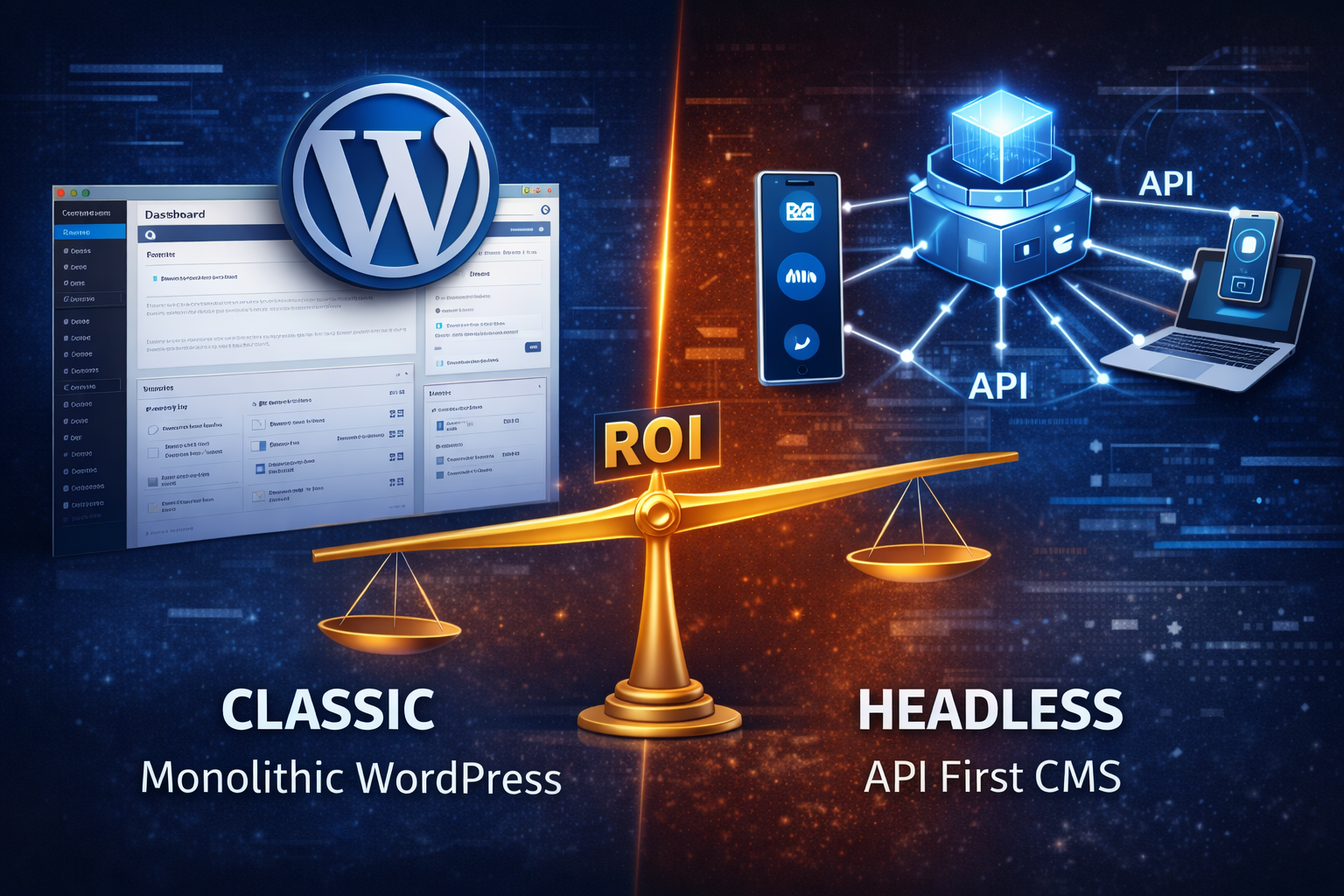
The CMS Landscape in 2026
It’s 2026. The digital landscape has shifted. Marketing is no longer confined to a single website; it demands an omnichannel experience. Content must be synchronized across web, mobile apps, IoT devices, smartwatches, and third-party platforms instantly.
For years, WordPress has dominated the web, powering 43.6% of all websites. It is reliable, ubiquitous, and supported by a massive ecosystem. However, as enterprise requirements evolve toward microservices and high-performance distributed systems, the Headless CMS has emerged as the preferred architecture for scalable digital products.
The Headless CMS market is projected to reach $4.59 billion by 2033, driven by the need for content portability and frontend agility.
The choice depends on your organizational maturity and goals:
- WordPress remains the optimal choice for "page-centric" organizations requiring rapid deployment with minimal development overhead.
- Headless CMS (e.g., Strapi, Sanity, Contentful) is the standard for "content-centric" enterprises that require a single source of truth distributed to multiple endpoints.
Table of Contents
- What is a Headless CMS?
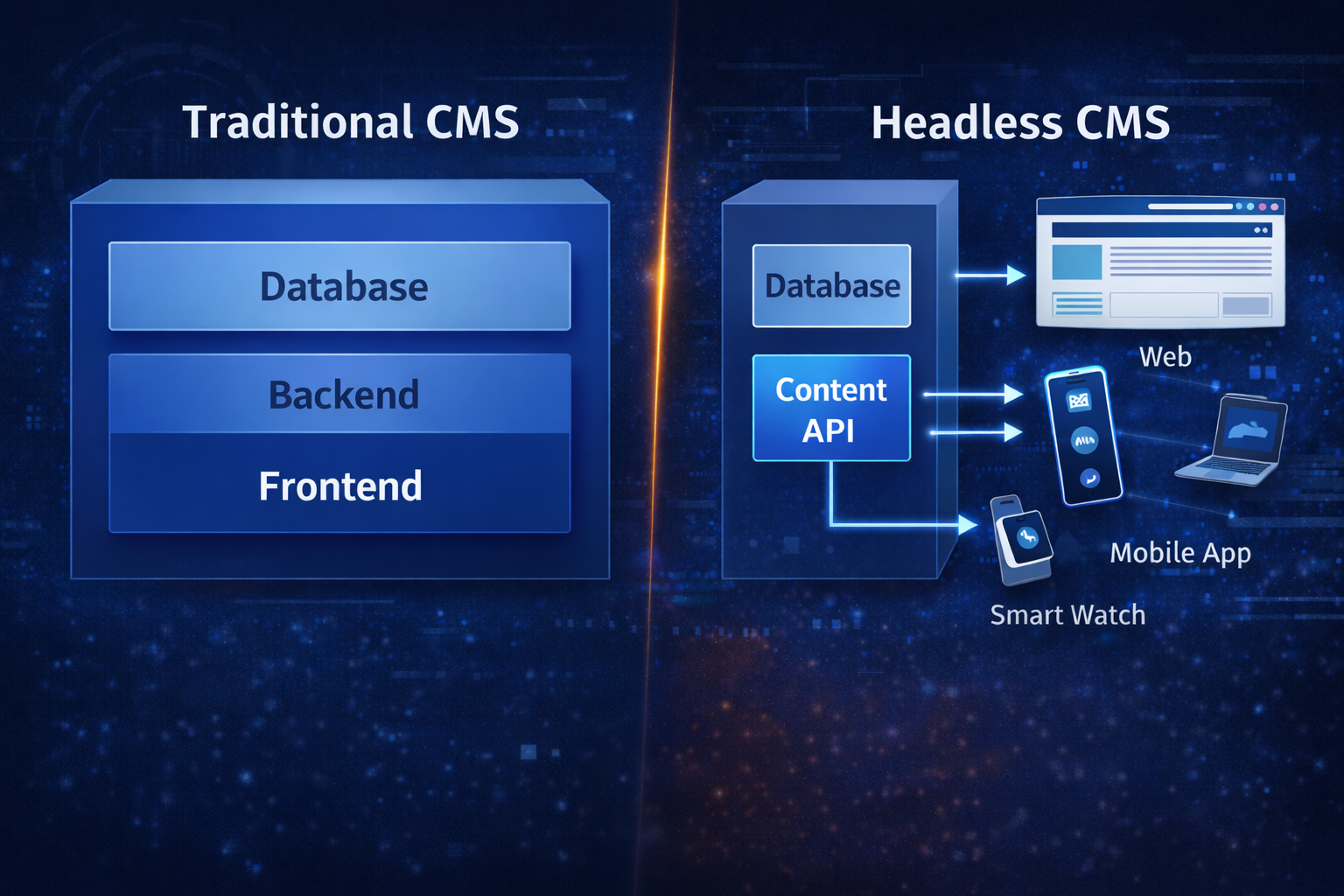
- Technical Architecture: Coupled vs. Decoupled
- The Caching Debate: Is WordPress Really Slower?
- The ROI Calculation for Marketing Teams
- Strategic Decision Framework
- Conclusion
What is a Headless CMS?
Unlike a traditional CMS, which dictates how content is displayed (coupling content to a "theme"), a Headless CMS focuses strictly on content management. It stores content in a raw format (JSON/XML) and exposes it via APIs (REST or GraphQL).
This separation of concerns allows developers to build the frontend using modern frameworks like Next.js, Vue, or React, independent of the backend logic.
Key Architectural Differences
| Feature | WordPress (Traditional) | Headless CMS |
|---|---|---|
| Architecture | Monolithic (Coupled Frontend & Backend) | Decoupled (API-First) |
| Content Delivery | Server-side rendered Themes (PHP) | JSON via API to any client |
| Security | High attack surface (Plugins, SQL Injection) | Reduced attack surface (Static Frontend) |
| Scalability | Vertical Scaling (Requires larger servers) | Horizontal Scaling (CDN & Edge) |
| Flexibility | Constrained by Theme/Plugin ecosystem | Frontend Agnostic (React, Vue, Native Mobile) |
Technical Architecture: Coupled vs. Decoupled
The fundamental difference lies in the data flow.
WordPress: The Monolithic Loop
WordPress executes a PHP script for every request (unless cached). It queries the MySQL database, processes the logic, and renders HTML.
// Standard WordPress Loop (Simplified)
if ( have_posts() ) :
    while ( have_posts() ) : the_post();
        // The presentation is tightly bound to the logic
        the_title( '<h1>', '</h1>' );
        the_content();
    endwhile;
endif;
Headless: The API-First Approach
In a Headless architecture, the frontend requests data only when needed. This can happen at build time (SSG) or request time (SSR).
// Next.js Data Fetching (Decoupled)
async function getPageData() {
  // Fetch only the data needed, independent of display
  const res = await fetch('https://api.your-cms.com/content');
  return res.json();
}

export default async function Page() {
  const data = await getPageData();
  // Render the UI using React components
  return <ContentComponent data={data} />;
}
The Caching Debate: Is WordPress Really Slower?
A common counter-argument is that WordPress can be made fast with caching. This is factually correct, but it requires nuance.
With tools like Varnish, Redis, and plugins like WP Rocket, a WordPress site can serve static HTML from a cache, achieving sub-second load times comparable to a static site.
However, there are critical distinctions:
1. Cache Invalidation & Complexity
In WordPress, caching is often a "patch" applied on top of a dynamic system. When content changes, the cache must be purged. In complex setups with personalization or frequent updates, "cache invalidation" becomes a significant engineering challenge. Every cache miss forces a full PHP execution and database query, causing inconsistent latency spikes.
2. The Dynamic Content Bottleneck
Caching works perfectly for static brochures. It fails when you introduce dynamic, user-specific content (e.g., "Welcome back, Ranjith").
- WordPress: To serve personalized content, you often have to bypass the page cache entirely, degrading performance to the speed of the PHP backend.
- Headless (Next.js): Uses techniques like Edge Middleware or React Server Components to inject dynamic content into static shells without sacrificing global performance.
3. Global Distribution
Headless sites built with Static Site Generation (SSG) or Incremental Static Regeneration (ISR) are designed to be served entirely from a CDN (Content Delivery Network) edge. While WordPress can use CDNs, the origin server remains a single point of failure.
Verdict: WordPress can be fast, but it requires significant optimization effort to match the default performance baseline of a modern Headless architecture.
The ROI Calculation for Marketing Teams
When evaluating ROI, we must look beyond the initial build cost and consider Total Cost of Ownership (TCO) over 3-5 years.
1. Speed to Market vs. Long-Term Agility
- WordPress (Short-Term Win): Ideal for MVPs. You can launch a site in days using pre-built themes.
- Headless (Long-Term Win): Slower initial setup, but adding new channels (e.g., launching a mobile app using the same content) is near-instant. The API is reusable across all platforms.
2. Maintenance & Security Overhead
- WordPress: Requires constant vigilance. Plugin updates, core updates, and database maintenance are ongoing operational costs. Security vulnerabilities in plugins are a primary attack vector.
- Headless: The frontend is often a static build, removing the database from the public internet. This "air gap" significantly reduces security risks and maintenance downtime.
3. Performance & SEO
- WordPress: Performance is variable and dependent on plugin weight and hosting quality.
- Headless: Performance is engineered into the architecture. Faster Core Web Vitals scores directly correlate with higher SEO rankings and conversion rates.
Strategic Decision Framework
Stick with WordPress If:
- Budget is Primary Constraint: Initial build budget is under $10k.
- Single Channel: You only need a website, not a mobile app or other endpoints.
- Non-Technical Control: Your marketing team requires absolute control over page layout via drag-and-drop builders (Elementor/Divi) without developer intervention.
- Legacy Integration: You rely on specific WordPress plugins that have no API equivalent.
Migrate to Headless CMS If:
- Omnichannel Strategy: You need to publish content once and display it on Web, iOS, and Android.
- Performance Critical: You operate in competitive markets where millisecond load times impact revenue (e.g., E-commerce).
- Security Compliance: You require enterprise-grade security with a reduced attack surface.
- Scalability: You anticipate high traffic spikes that would overwhelm a monolithic server.
- Developer Experience: You want to attract top engineering talent who prefer modern stacks (React/Next.js) over legacy PHP.
Conclusion
In 2026, the decision between Headless CMS and WordPress is no longer about "better" or "worse"—it is about alignment with business goals.
If your objective is to manage a standalone website with minimal technical overhead, WordPress remains a powerful, cost-effective tool.
However, for organizations aiming to build a scalable, secure, and omnichannel digital ecosystem, Headless CMS offers the architectural foundation necessary for modern digital experiences. It transforms your content from a website page into a globally distributed API asset.
Ready to modernize your web infrastructure? At FUEiNT, we specialize in high-performance Headless architectures. Contact us today to discuss your digital strategy.