


Introduction
For over two decades, conditional logic in web styling was the exclusive domain of JavaScript or CSS preprocessors like Sass and Less. If you wanted to change a style based on a condition, you had to toggle a class name or rely on complex selector hacks.
Developers have long asked: "Why can't I just write an if-statement in CSS?"
The wait is finally over. The CSS if() function has arrived, bringing native inline conditional logic directly to your stylesheets. This modern feature allows you to apply values based on conditions without leaving CSS, marking a significant shift in how we write maintainable and reactive design systems.
What is the CSS if() Function?
The if() function is a new CSS value function that allows you to choose a value based on a condition. It works similarly to the ternary operator in JavaScript (condition ? true : false) or the if() function in Excel.
Instead of writing multiple selectors to handle different states, you can now handle logic inside the property declaration itself.
Syntax and Structure
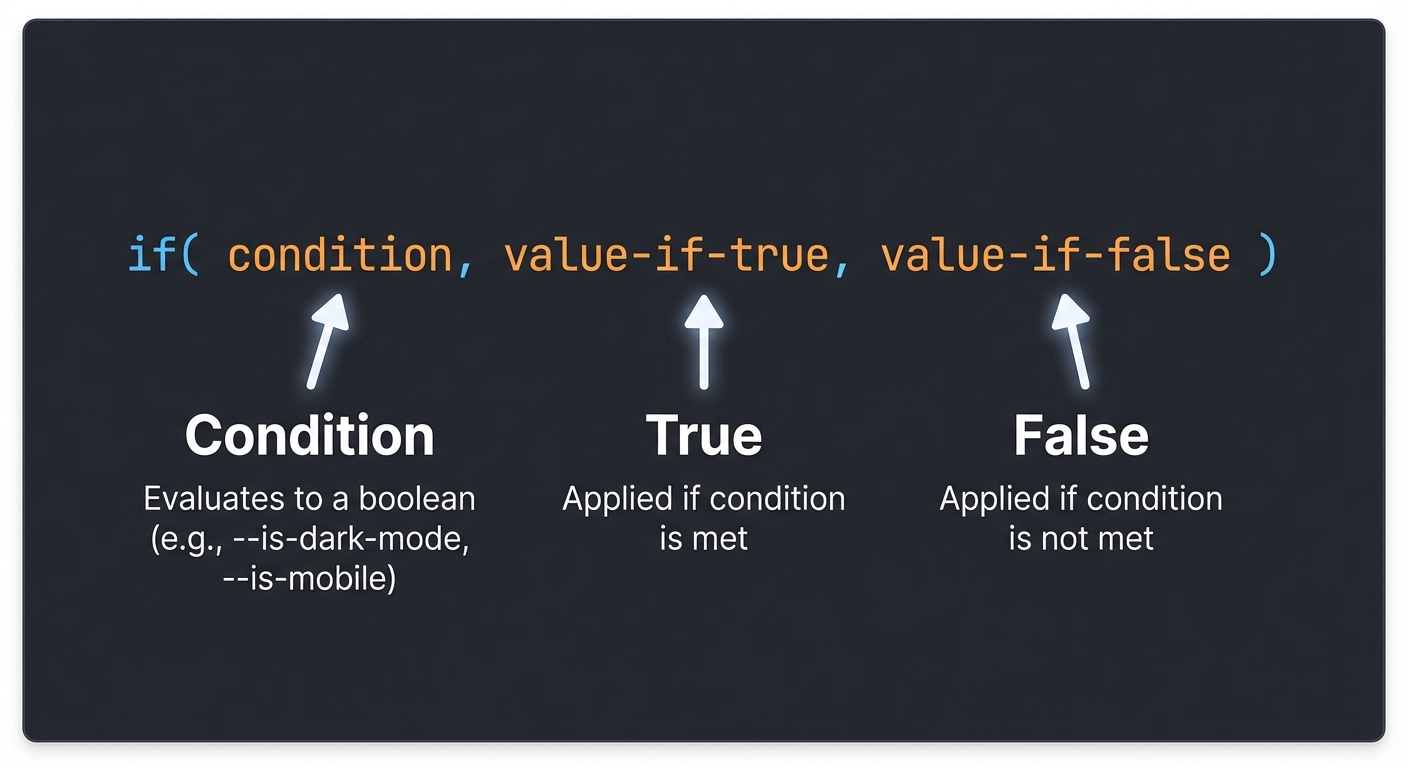
The basic syntax is straightforward:
property: if(condition, value-if-true, value-if-false);- condition: A style query or a custom property check.
- value-if-true: The value applied if the condition is met.
- value-if-false: (Optional) The value applied if the condition is not met.
How It Works Internally
Under the hood, if() leverages Style Queries (part of the Container Queries specification). It evaluates the condition against the current context of the element. If the condition resolves to true, the first value is used; otherwise, the second value is used.
[!NOTE] Browser Support: As of early 2026, the
if()function is an experimental feature. It is available in Chrome Canary behind the "Experimental Web Platform Features" flag. Always check Can I Use before using it in production.
Code Examples
Let's explore how if() simplifies common styling tasks.
1. Simple Example: Theming with Custom Properties
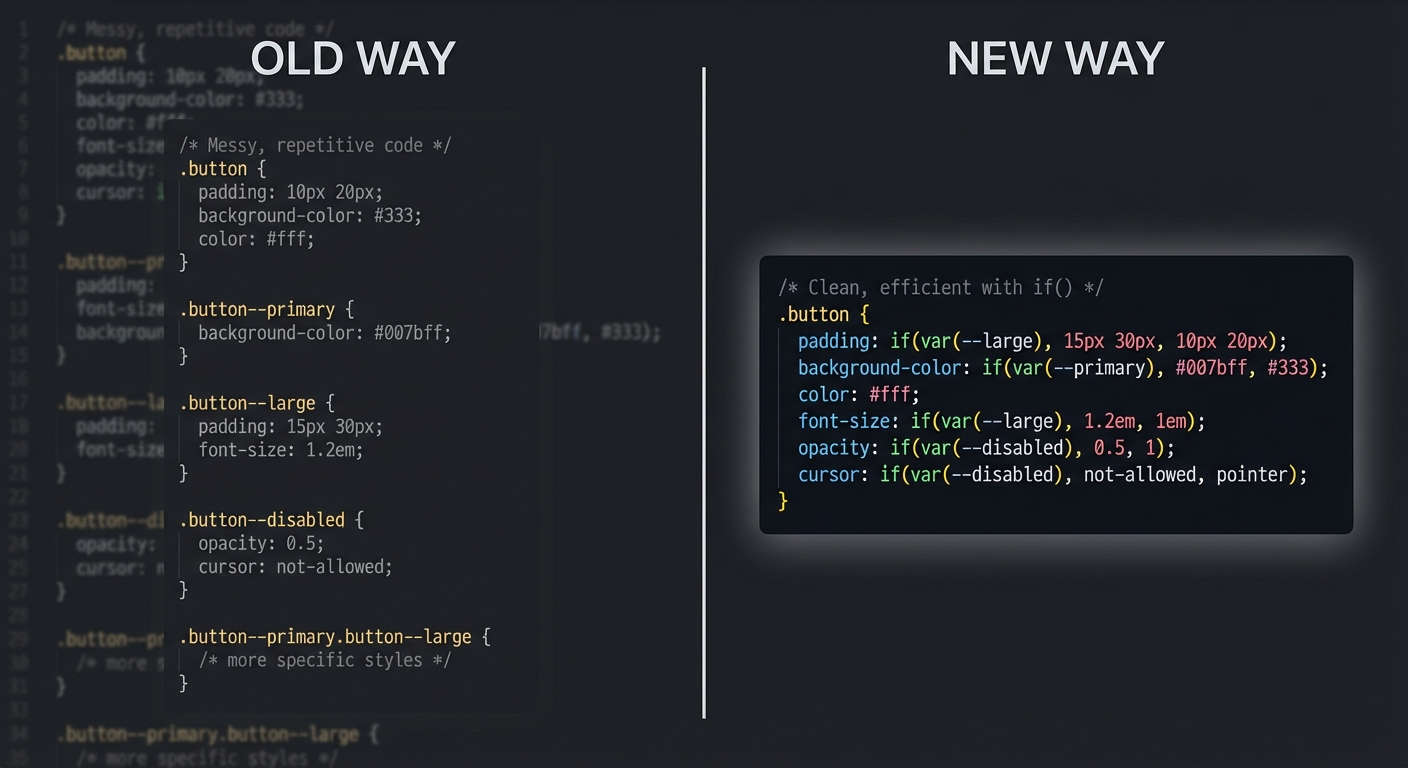
Traditionally, handling a "primary" vs. "secondary" button variant required separate classes. With if(), you can drive this via a custom property.
.button {
  --variant: primary; /* Default */

  /* If variant is primary, use blue; otherwise, use gray */
  background-color: if(style(--variant: primary), blue, gray);

  /* If variant is primary, use white text; otherwise, use black */
  color: if(style(--variant: primary), white, black);
}

.button.secondary {
  --variant: secondary;
}
2. Real-World Example: Responsive Design Tokens
Imagine a card component that needs more padding on desktop but less on mobile. Instead of a media query block, you can use if() combined with a custom media variable (if supported) or container style queries.
.card {
  /* Dynamic padding based on container width */
  padding: if(style(container-width > 500px), 2rem, 1rem);

  /* Conditional border radius */
  border-radius: if(style(container-width > 500px), 16px, 8px);
}
This keeps the logic co-located with the property, making the code easier to read and maintain.
3. Comparison: The Old Way vs. The New Way
The Old Way (Sass/BEM):
.message {
  padding: 1rem;
  border: 1px solid gray;

  &--error {
    border-color: red;
    background: #ffe6e6;
  }

  &--success {
    border-color: green;
    background: #e6ffe6;
  }
}
The New Way (CSS if()):
.message {
  --type: info; /* default */

  padding: 1rem;
  border: 1px solid if(style(--type: error), red,
                      if(style(--type: success), green, gray));

  background: if(style(--type: error), #ffe6e6,
                 if(style(--type: success), #e6ffe6, white));
}
Best Practices & Use Cases
While if() is powerful, it shouldn't replace the cascade entirely.
When to Use if()
- Component Variants: Perfect for handling states like
primary,secondary,disabled, oractivewithout exploding class names. - Design Tokens: Great for switching values based on theme context (e.g., Light/Dark mode specific overrides).
- Micro-Layouts: Adjusting gaps or padding based on immediate container context.
Performance Considerations
Inline conditionals are evaluated at style resolution time. While efficient, excessive nesting of if() statements can make the browser work harder to calculate styles. Keep logic flat where possible.
Maintainability
Don't over-engineer. If you have 10 nested if() conditions, a standard modifier class might be more readable. Use if() to reduce complexity, not add to it.
Conclusion
The CSS if() function represents a major leap forward for the language. It bridges the gap between static styling and dynamic logic, allowing developers to write smarter, more reactive CSS.
While it's still in its early stages, the potential for cleaner codebases and more robust design systems is undeniable. We encourage you to experiment with it in a controlled environment and see how it can simplify your workflow.
The future of CSS is logical.
FAQ
What is CSS if()?
CSS if() is a function that allows developers to apply different property values based on a condition, similar to if-statements in programming languages.
Is CSS if() supported in all browsers?
Not yet. As of 2026, it is primarily available in experimental builds (like Chrome Canary) and is not ready for general production use without fallbacks.
Can CSS if() replace JavaScript conditions?
For styling purposes, yes. It can replace JavaScript that toggles classes for visual changes. However, it does not replace JavaScript for business logic or application state management.
Is CSS if() production-ready?
No. It is currently an experimental feature. You should use it for prototyping or with progressive enhancement strategies.