


Introduction
In high-traffic WordPress environments, system administrators often observe a spike in 500 Internal Server Errors correlated with requests containing the customize_changeset_uuid query parameter.
While these errors are frequently triggered by automated scanners or crawlers, the underlying issue is architectural: WordPress Core does not gracefully handle unauthenticated attempts to hydrate a Customizer changeset in certain contexts. Instead of returning a 403 Forbidden or 404 Not Found, the application often terminates with a fatal error, resulting in a 500 status code.
This article explores the mechanics of this edge case and provides a robust, server-level configuration to mitigate the noise and resource consumption.
The Mechanics of customize_changeset_uuid
The customize_changeset_uuid parameter is a legitimate component of the WordPress Customizer API. It serves as a unique identifier for a specific set of unsaved changes (a "changeset") that an administrator is previewing.
When a user enters the Customizer:
- WordPress generates a UUID.
- This UUID is appended to preview URLs.
- The application uses this UUID to load the temporary state from the database, allowing the admin to see changes before they are published.
This mechanism relies on the assumption that the requestor is an authenticated user with the customize capability.
The Technical Root Cause
The issue arises when a request containing customize_changeset_uuid is processed without an active, authenticated session.
When WordPress detects this parameter, it attempts to initialize the Customizer environment. However, if the changeset UUID is invalid, expired, or if the user lacks permissions, the initialization process can enter an inconsistent state.
In many configurations, specifically depending on the active theme and plugins, this failure to hydrate the changeset results in an unhandled exception or a PHP fatal error rather than a controlled exit. This propagates up the stack as a 500 Internal Server Error.
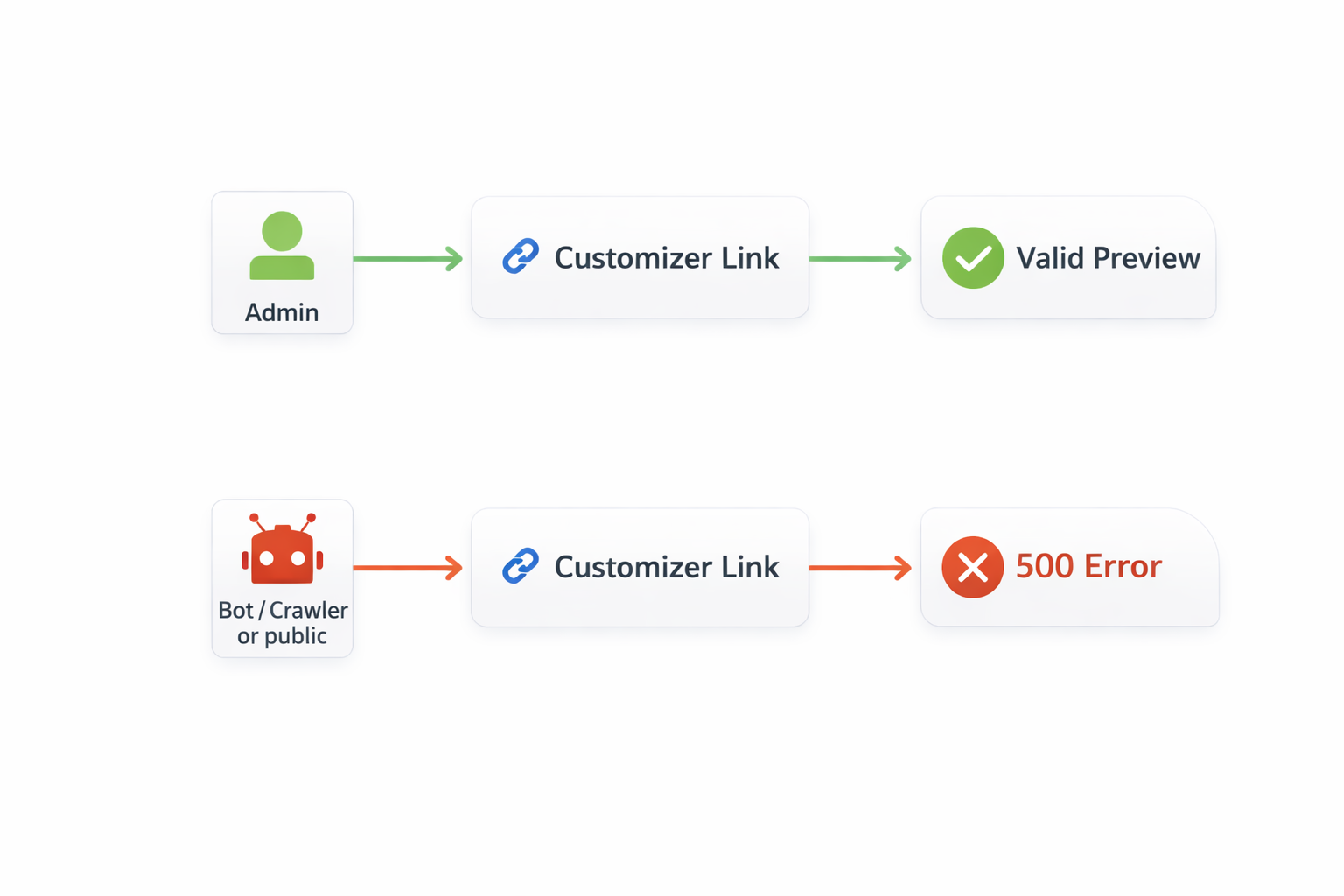
While the trigger is often external traffic (scanners blindly replaying URLs they found elsewhere), the responsibility for handling the request lies with the application. A robust system should reject malformed or unauthorized requests with a 4xx client error, not a 5xx server error.
Server-Level Mitigation
Since this behavior stems from Core logic that may not be immediately patchable without affecting the Customizer's functionality, the most effective mitigation is to intercept these requests at the web server level (Nginx/Apache) before they reach the PHP-FPM process.
The strategy is simple: If the request contains customize_changeset_uuid but does not have a WordPress session cookie, reject it immediately.
Nginx Configuration
Implement the following logic within your server block:
# Block unauthorized access to the Customizer UUID parameter
set $block_customizer 0;

# Check if the parameter exists in the query string
if ($arg_customize_changeset_uuid) {
    set $block_customizer 1;
}

# Allow if the user has a WordPress session cookie
if ($http_cookie ~* "wordpress_logged_in_") {
    set $block_customizer 0;
}

# Return 403 Forbidden for unauthorized requests
if ($block_customizer = 1) {
    return 403;
}
Why This Approach Works
- Resource Efficiency: Nginx handles the rejection in microseconds. The heavy PHP process is never spawned, saving CPU and RAM.
- Correct Semantics: It returns a
403 Forbidden, which accurately describes the situation (unauthorized access) and signals to clients (and search engines) that the request should not be retried. - Preserves Functionality: Authenticated administrators can still use the Customizer without interruption.
WordPress Core Tracking
This behavior is a known edge case within the WordPress development community. For those interested in the ongoing discussions regarding a Core-level fix, refer to the official Trac ticket: WordPress Trac Ticket #50781
Until a patch is merged that ensures a graceful 403 or 404 response within the PHP application, the server-level rule remains the recommended best practice for production environments.
Conclusion
The customize_changeset_uuid 500 error is a classic example of an unhandled edge case in a complex application. By understanding the mechanics of the Customizer API, we can implement a targeted infrastructure rule that resolves the issue.
For DevOps engineers and site reliability engineers, this fix eliminates log noise, improves resource utilization, and ensures that your monitoring alerts are reserved for genuine application failures.