

What is a Call to Action (CTA)?
A Call to Action (CTA) is a prompt on a website, in an email, or within an advertisement that tells the user exactly what action to take next. It typically takes the form of a button or a hyperlinked line of text.
The goal of a CTA is simple: to turn a passive visitor into an active lead or customer. Whether it's "Buy Now," "Sign Up," or "Learn More," the CTA is the bridge between a user's interest and their action.
Why a Call to Action is Crucial for Your Website
Without a clear CTA, your visitors might read your content but leave without knowing how to engage further. Here’s why they are essential:
- Drive Conversions: A well-placed CTA guides users toward the final goal, whether it's a purchase or a newsletter signup.
- Improve User Experience: Visitors want to know what to do next. Clear instructions reduce friction and confusion.
- Measure Success: CTAs allow you to track how effective your marketing efforts are by monitoring Click-Through Rates (CTR).
- Direct Your Audience: You control the journey. You can lead users from a blog post to a product page, then to a checkout.
Common Types of Call to Action
Different goals require different types of CTAs. Here are the most common ones:
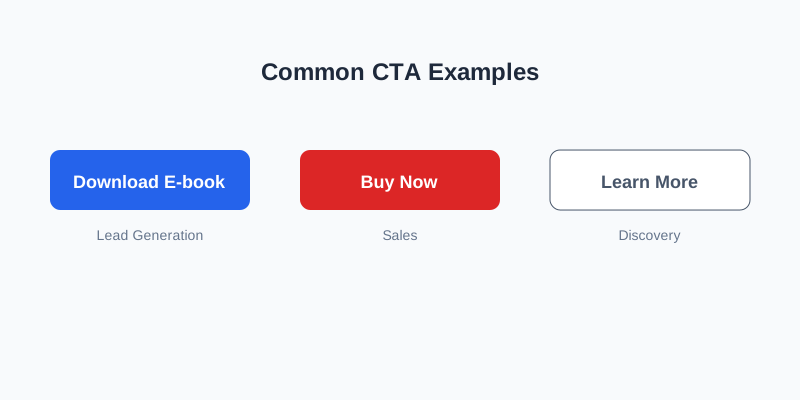
- Lead Generation CTAs: "Download Your Free E-book" or "Get a Free Quote."
- Sales CTAs: "Buy Now," "Add to Cart," or "Limited Time Offer."
- Discovery CTAs: "Learn More," "Read More," or "Watch Video."
- Social Sharing CTAs: "Share on LinkedIn" or "Follow Us."
- Event CTAs: "Register Now" or "Save My Spot."
How to Create a High-Converting CTA
Creating a CTA isn't just about putting a button on a page. It's about psychology and design.
1. Use Action-Oriented Verbs
Start your CTA with a strong verb. Instead of "Information Here," use "Get Your Free Guide."
2. Create Urgency or Scarcity
Words like "Now," "Today," or "Limited" encourage users to act immediately rather than putting it off.
3. Make it Stand Out
Your CTA should be visually distinct. Use high-contrast colors that pop against your background.
4. Keep it Concise
Two to five words are usually ideal. "Get Started For Free" is more effective than "Click here to begin your journey with our amazing service."
5. Focus on the Value
Tell the user what they get. "Start Your Free Trial" is better than just "Submit."
Good vs. Bad CTAs: A Quick Comparison
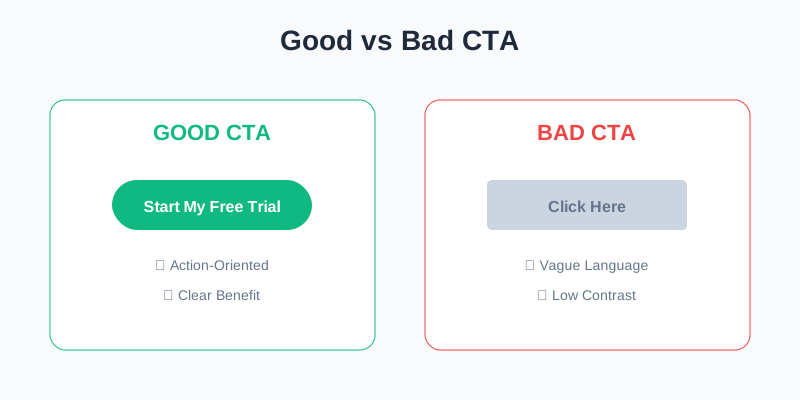
| Feature | Good CTA | Bad CTA |
|---|---|---|
| Language | Clear & Action-Oriented ("Join Now") | Vague & Passive ("Click Here") |
| Contrast | High (Primary Brand Color) | Low (Blends into background) |
| Placement | Above the fold / After value prop | Hidden in a corner |
| Value | Benefit-driven | Process-driven ("Register") |
Best Practices for CTA Placement
- Above the Fold: Ensure at least one primary CTA is visible without scrolling.
- The End of Blog Posts: Always give readers a next step after they finish reading.
- In the Main Navigation: Make your most important action (e.g., "Contact Us") always accessible.
- White Space: Surround your CTA with white space to make it stand out and avoid clutter.
Conclusion
A Call to Action is more than just a button; it's a critical component of your digital strategy. By understanding your audience's needs and using clear, persuasive language, you can significantly increase your website's conversion rates.
Need Help Optimizing Your Website Conversions?
Creating effective CTAs and landing pages is both an art and a science. At FUEiNT, we specialize in UI/UX design and digital marketing strategies that turn visitors into loyal customers.
Our team can help you:
- Design high-converting CTA buttons and layouts.
- Perform A/B testing to find what works best for your audience.
- Audit your website for conversion friction.
- Craft compelling copy that drives action.
Result: Our clients typically see a 20-35% increase in conversion rates after a professional CTA optimization.
→ Schedule a Free Conversion Audit