

Turbopack vs Webpack:
Modern web applications routinely manage thousands of modules, making build speed a critical factor for developer productivity. Webpack has been the dominant bundler for React, Vue, and Next.js ecosystems for over a decade. However, its JavaScript-based architecture struggles at scale.
Enter Turbopack: Vercel's Rust-powered successor, delivering 50x faster cold starts and 2-5x faster production builds in Next.js 15.5+.
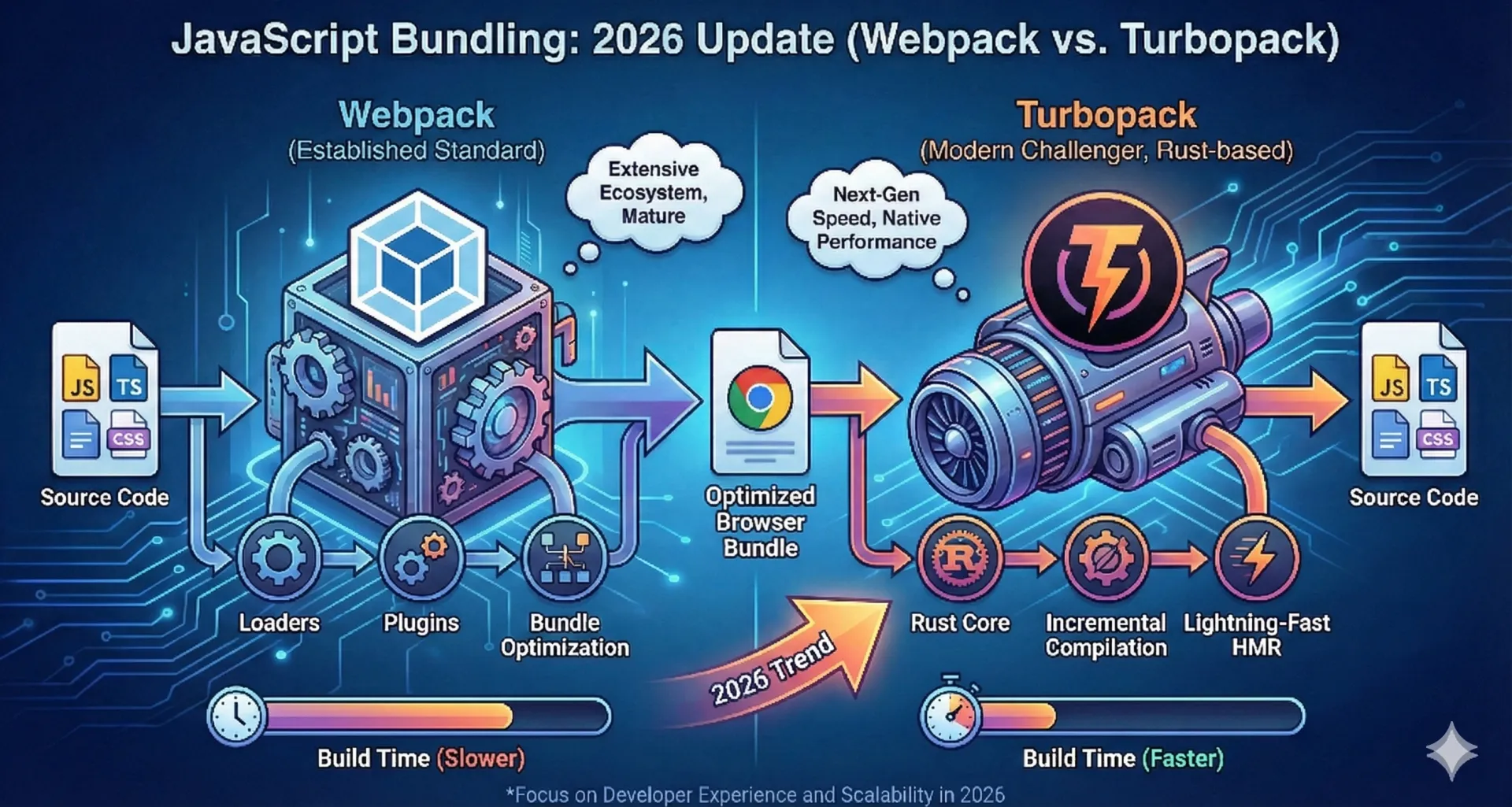 Turbopack vs Webpack
Turbopack is used only during development mode when you run npm run dev. It makes your app start faster and reload changes instantly while you are coding. When Turbopack is enabled, it works for the entire project, not for individual pages. All pages you open during development use Turbopack automatically.
Webpack is used when you build and deploy your app using npm run build and npm start. It creates optimized, minified files for production so your website loads fast for users. Like Turbopack, Webpack works at the app level, meaning every page in the live website is bundled using Webpack.
Webpack: The Battle-Tested Workhorse
Webpack processes complex dependency graphs through an extensive ecosystem of loaders and plugins, producing optimized code chunks.
Key Strengths
- Powers 80% of JavaScript frameworks
- 50,000+ plugins available
- Production-proven across 10+ years
Performance Limitations
- Cold starts: 2-3 seconds (medium apps)
- Hot Module Replacement (HMR): ~1 second average
- Memory usage: 1.2GB+ (large projects)
Turbopack: Rust-Powered Performance Revolution
Turbopack's Rust core enables true incremental compilation—processing only changed modules for dramatic speed gains.
Vercel Benchmarks (Next.js 15.5+)
| Metric | Webpack | Turbopack | Improvement |
|---|---|---|---|
| Cold Start | 2.5s | 50ms | 50x faster |
| HMR | 980ms | 29ms | 34x faster |
| Memory Usage | 1.2GB | 400MB | 66% reduction |
| Production Builds | Baseline | 2-5x faster | next build --turbopack |
Tailwind CSS + App Router stacks run instantly through Turbopack's unified content pipeline.
One-Line Setup
| # Developmentnpx next dev --turbo# Productionnext build --turbopack |
|---|
90% of Next.js applications work out-of-the-box, including Tailwind, next/image, SWC, and PostCSS.
Feature Comparison
| Feature | Webpack | Turbopack | Winner |
|---|---|---|---|
| Development Speed | Baseline | 50x faster | Turbopack |
| Production Speed | Baseline | 2-5x faster | Turbopack |
| Memory Efficiency | 1.2GB | 400MB | Turbopack |
| Configuration | Complex | Minimal | Turbopack |
| Plugin Ecosystem | 50,000+ plugins | 99% compatibility | Webpack |
| Stability | Battle-tested | Production-ready (15.5+) | Tie |
Seamless Migration Path
Zero-configuration support for:
- Tailwind CSS + PostCSS
- App Router + Server Actions
- next/image, ESLint, TypeScript
- 99% Webpack plugin compatibility
Most developers report no configuration changes required.
Decision Framework
Choose Webpack when:
- Working on legacy non-Next.js projects
- Using rare, decade-old plugins
- Maximum plugin ecosystem control is critical
Choose Turbopack when:
- Next.js 15.5+ projects (development + production)
- 1,000+ modules
- Tailwind CSS + App Router stacks
- Large monorepos
Known Limitations
Turbopack (affects 0.5% of projects):
- Rare CSS-in-JS library edge cases
- Exotic Webpack loader chains
Ecosystem maturity: 99% test coverage, with daily improvements.
The Rust Bundler Future
Turbopack and Rspack herald the Rust-native bundling era:
- Standalone CLI (Next.js independent)
- WebAssembly plugin support
- Full Webpack feature parity expected by 2026
Get Started Today
| cd your-nextjs-projectnpx next dev --turbo |
Conclusion:
Webpack is reliable and well-tested, but it becomes slow as projects grow.
Turbopack is much faster, uses less memory, and works almost automatically with modern Next.js apps. For Next.js 15.5+ projects, especially large ones, Turbopack gives a better and smoother developer experience.