

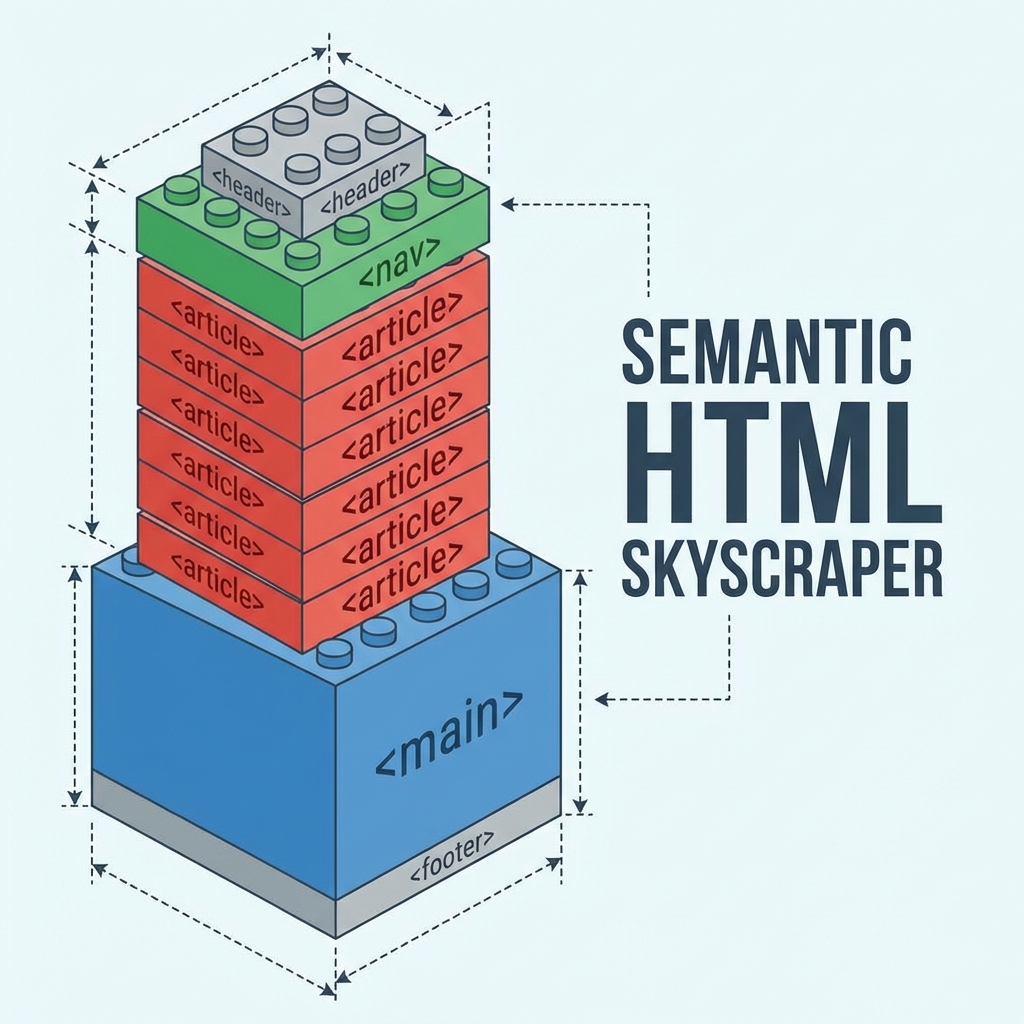
In the old days of the web, everything was a <div>. We had <div id="header">, <div class="content">, and <div class="sidebar">.
For a search engine bot, this was a nightmare. Everything looked the same.
HTML5 introduced Semantic Tags—tags that describe what the content inside them is. Using them correctly is one of the easiest "wins" for technical SEO.
🛑 The "Div Soup" Problem
<!-- Hard for Google to interpret -->
<div class="header">...</div>
<div class="main-body">...</div>
<div class="footer-stuff">...</div>
Google has to guess which div contains the main article and which is legally mandated footer text.
✅ The Semantic Solution
<!-- Crystal clear context -->
<header>...</header>
<main>...</main>
<footer>...</footer>
1. <main>
Use this ONCE per page. It wraps the primary content. It tells Google: "Ignore the header and footer; THIS is the meat of the page."
2. <article> vs <section>
<article>: Self-contained content that makes sense on its own (like a blog post, a news card, or a product widget).<section>: A thematic grouping of content (like "Features," "Pricing," "Contact").
3. <aside>
Use this for content related to the main story but not critical to it (sidebars, "read next" links, author bios). Google often gives this content lower weight than what is inside <main>.
4. <nav>
Wrap your primary links in this. It helps screen readers skip to the menu and helps bots map your site structure.
Accessibility = SEO
Google loves accessible sites. Semantic tags are the foundation of accessibility.
- Screen readers jump straight to
<main>. - They announce "Navigation" when they hit
<nav>.
By coding for accessibility, you are automatically coding for better SEO rankings.
5. Heading Hierarchy (H1-H6) Is Not For Decoration
Many developers use an <h3> because they want the text to be "medium size." This is wrong. Headings define the structure of your document outline.
- H1: The Title (Only ONE per page).
- H2: Major sections.
- H3: Sub-sections inside H2s.
Rule: Never skip levels. Don't go from <h1> straight to <h4>.
6. The Power of alt Text
Images are invisible to search engines unless you tell them what they are. The alt attribute is mandatory for HTML validity and critical for SEO.
- Bad:
<img src="dog.jpg"> - Bad:
<img src="dog.jpg" alt="image"> - Good:
<img src="dog.jpg" alt="Golden Retriever catching a tennis ball in the park">
7. Lists (<ul>, <ol>) vs <div> soup
When you have a list of items (nav menu, features, ingredients), use a list tag.
Bad Code:
<div class="item">1. Research</div>
<div class="item">2. Design</div>
<div class="item">3. Code</div>
Good Code:
<ol>
  <li>Research</li>
  <li>Design</li>
  <li>Code</li>
</ol>
Google understands that the items in <ol> are related and ordered.
8. Meaningful Anchor Text
The text inside your <a> tags matters. It tells Google what the destination page is about.
- Bad:
<a href="/services">Click here</a> to see our services. - Good: View our Web Design Services.
"Click here" is meaningless to a search bot. Descriptive text passes authority (link juice) effectively.
Summary
Don't just write code that "looks" right visually. Write code that "reads" right semantically.
Quick Audit:
- Do you have one
<main>tag? - is your logo/menu in a
<header>? - Are your blog posts wrapped in
<article>? - Are you using
<aside>for sidebars?
Clean code ranks better.