

If you’ve ever tested your WordPress site’s speed, you’ve likely been told to "enable caching." So, you install a plugin like W3 Total Cache or WP Rocket, and things get a bit faster. But what if I told you that the best caching happens before WordPress even loads?
This is the battle between Server-Level Caching and Plugin-Level Caching.
🛑 How WordPress Works Without Caching
To understand caching, you first need to understand how WordPress serves a page request:
- Request: A user visits
fueint.com. - Processing: WordPress initializes, connects to the database, runs PHP scripts, and builds the HTML page.
- Response: The server sends the HTML back to the user.
This process is CPU-intensive. If 1,000 users visit at once, the server has to do this 1,000 times. Your site crashes.
The Contenders
1. Plugin-Level Caching (The Application Layer)
Examples: WP Rocket, W3 Total Cache, Autoptimize
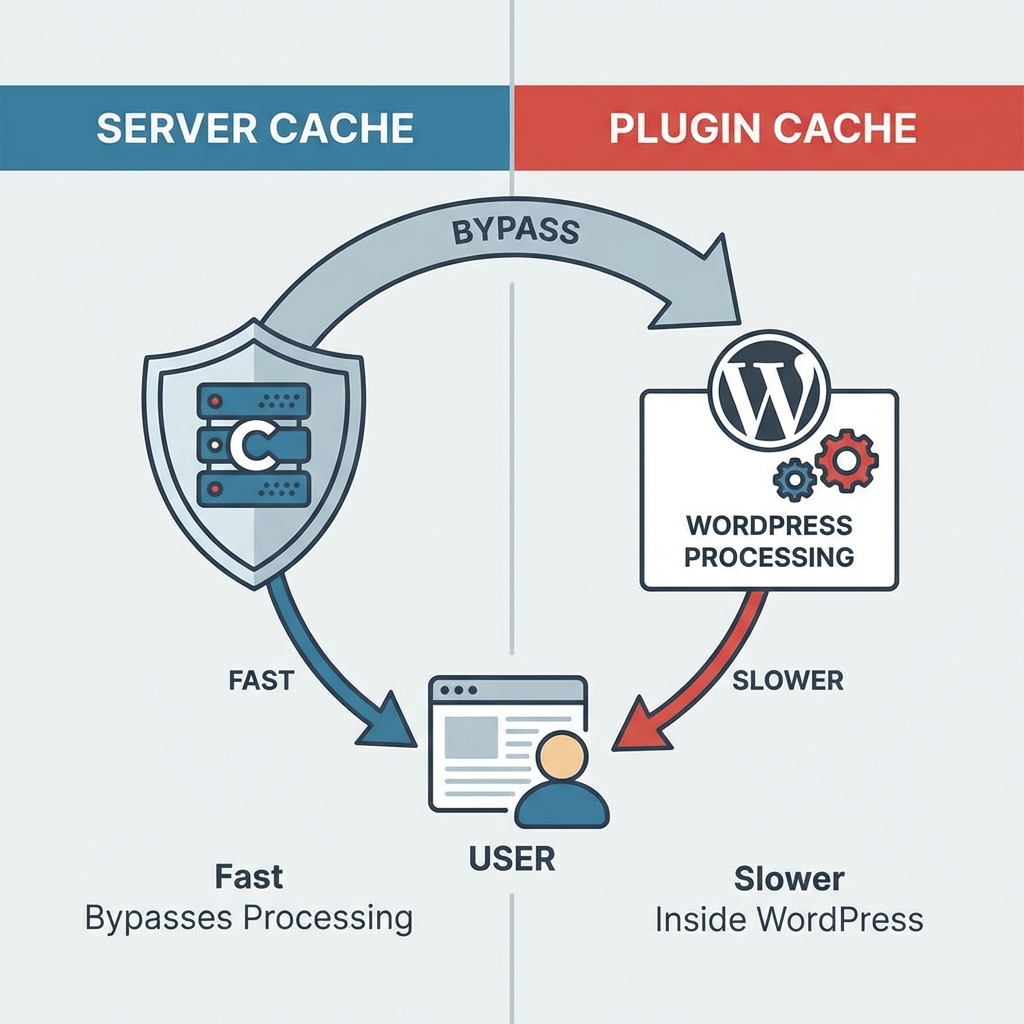
Plugins work by saving the generated HTML after WordPress has loaded but before it performs all the heavy database heavy-lifting for subsequent requests.
How it works:
- Request hits server.
- Nginx/Apache passes request to PHP.
- WordPress starts loading.
- Plugin intercepts the request and checks if a cached file exists.
- If yes, serves the file.
The Problem: PHP and WordPress still have to initialize to some degree for the plugin to work. It’s faster than no cache, but it still consumes server resources.
2. Server-Level Caching (The Infrastructure Layer)
Examples: Varnish, Nginx FastCGI Cache, Litespeed Cache
Server caching sits in front of WordPress. It stores the HTML page directly in the server's memory (RAM).
How it works:
- Request hits server (Nginx/Varnish).
- Server checks if the page is in memory.
- If yes, it serves it IMMEDIATELY.
- PHP and WordPress are never even touched.
Why Server-Level Caching is Superior
| Feature | Plugin Caching | Server Caching |
|---|---|---|
| Speed | Fast (PHP execution required) | Instant (No PHP execution) |
| Scalability | Good for low traffic | Handles massive traffic spikes |
| Resource Usage | CPU heavy | Extremely efficient |
| Configuration | Complex settings panels | Often zero-config (managed by host) |
The "TTFB" Winner
Time to First Byte (TTFB) is a key Core Web Vital.
- Plugin Caching: ~200-500ms TTFB
- Server Caching: ~10-50ms TTFB
When Do You Need a Plugin?
Even if you have server-level caching, plugins are still useful for:
- Minification: Shrinking CSS and JS files.
- Image Optimization: Lazy loading and WebP conversion.
- Database Cleaning: Removing post revisions and transient options.
The Ideal Setup: Use Server-Level Caching for page caching (HTML) and a Lite Plugin (like Autoptimize) for asset optimization.
Conclusion
Stop relying solely on heavy caching plugins to fix a slow server. If your hosting provider doesn't offer server-level caching (Nginx/Varnish), it might be time to switch. Real performance happens at the edge, not inside the application.