

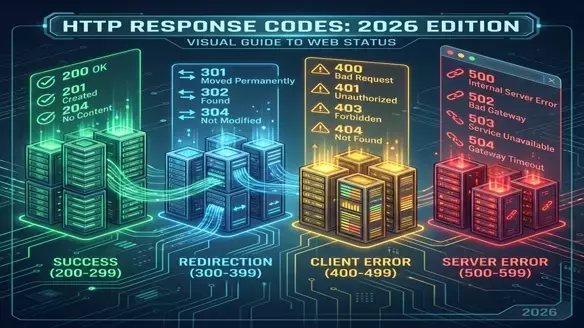
HTTP Status Codes: The Language of the Web
Every time you click a link or submit a form, a three-digit number decides your fate. Most developers know 200 and 404. But do you know when to use 201 vs 202? Or 401 vs 403?
In 2026, with AI agents consuming your APIs as much as humans, semantic correctness is no longer optional.
1xx: Informational (Hold on...)
The server received the request and is processing it.
- 100 Continue: The server has received the headers and the client should proceed to send the body.
- 101 Switching Protocols: Used for WebSockets upgrade.
2xx: Success (We did it!)
The action was successfully received, understood, and accepted.
The Big Three
- 200 OK: The standard success. "Here is your web page" or "Here is your JSON".
- 201 Created: "I built the thing." Use this for POST requests that create a resource (e.g., User Sign Up).
- 204 No Content: "Success, but there's nothing to see." Use this for DELETE requests or updates not requiring a response body.
The Special Cases
- 202 Accepted: "I hear you, I'll get to it." Critical for async background jobs (queues).
3xx: Redirection (Go somewhere else)
Further action must be taken to complete the request.
Permanent vs Temporary
- 301 Moved Permanently: "It lives here now forever." SEO Juice is transferred. Browser caches this aggressively.
- 302 Found (Temporary): "It's over here for now." SEO Juice is not transferred.
- 307 Temporary Redirect: The strict version of 302. Keeps the method (POST stays POST). Use this instead of 302 in APIs.
- 308 Permanent Redirect: The strict version of 301. Keeps the method. Use this instead of 301 in APIs.
The Cache Optimization
- 304 Not Modified: "You already have the latest version." Saves bandwidth.
4xx: Client Error (You messed up)
The request contains bad syntax or cannot be fulfilled.
Auth Issues
- 401 Unauthorized: "Who are you?" You failed to log in or provide a token.
- 403 Forbidden: "I know who you are, but you can't come in." You are logged in, but don't have permission (Admin vs User).
Data Issues
- 400 Bad Request: Generic "Your data sucks." formatting errors, missing fields.
- 404 Not Found: "It's incomplete or missing."
- 409 Conflict: "This already exists." (e.g., trying to register an email twice).
- 422 Unprocessable Entity: "Valid syntax, but invalid logic." password too short, email format wrong.
Abuse
- 429 Too Many Requests: "Calm down." Rate limiting.
5xx: Server Error (We messed up)
The server failed to fulfill an apparently valid request.
- 500 Internal Server Error: Generic "Something exploded." Check your logs.
- 502 Bad Gateway: One server (e.g., Nginx) got an invalid response from the upstream server (e.g., Next.js/Node).
- 503 Service Unavailable: "Back in 5 minutes." Server is overloaded or down for maintenance.
- 504 Gateway Timeout: The upstream server took too long to reply.
The Cheat Sheet for API Designers
| Scenario | Code |
|---|---|
| User sign up | 201 Created |
| User log in success | 200 OK |
| User delete success | 204 No Content |
| Invalid Email format | 422 Unprocessable Entity |
| Wrong Password | 401 Unauthorized |
| Accessing Admin Panel | 403 Forbidden |
| Bot Spamming | 429 Too Many Requests |
| Unhandled Exception | 500 Internal Server Error |
In 2026, clarity is king. Don't return 200 OK with { "error": "failed" } in the body. That is a crime against the web.